
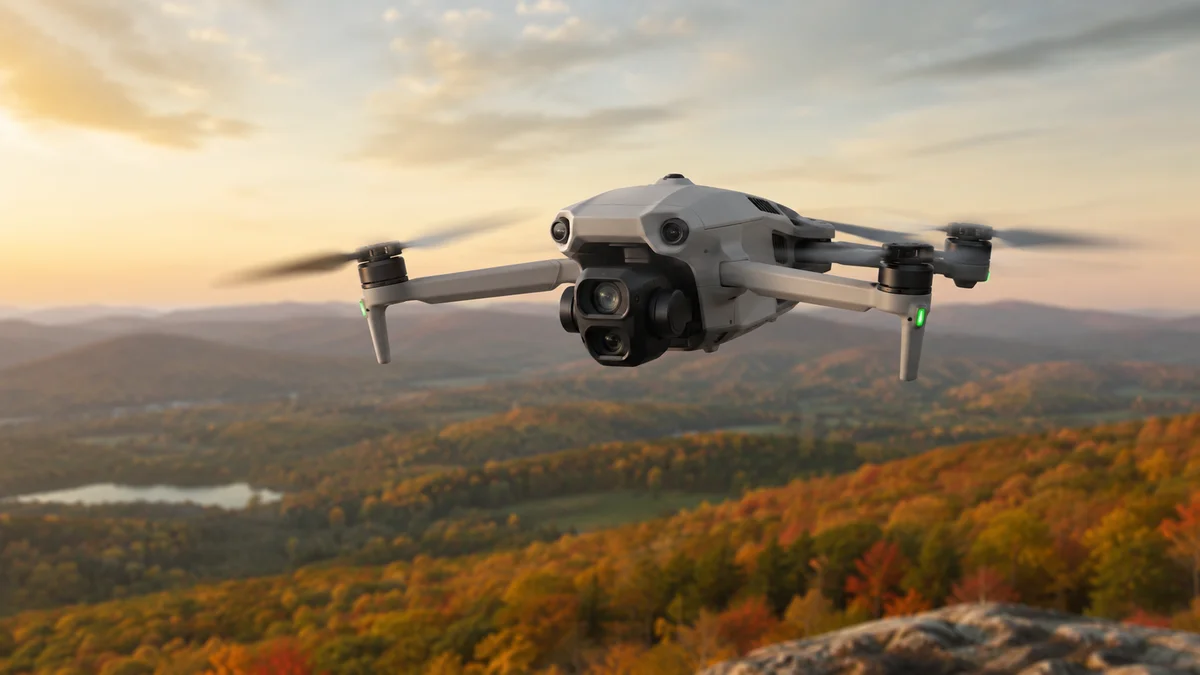
Drones seem almost effortless from the ground. A pilot moves the sticks, the drone lifts into the air, holds itself steady, sends back a live camera view, avoids obstacles, and captures smooth video from angles that used to require a helicopter.
But under the surface, a drone is doing a lot at once. It is balancing itself, measuring its movement, listening to satellite signals, talking to the controller, adjusting each motor, stabilizing the camera, checking battery status, and responding to pilot inputs in real time.
This guide explains how drones work in plain English. We'll use modern camera drones, including the DJI Mini 5 Pro, as examples along the way — not because every drone works exactly the same way, but because it's a good real-world example of the technology inside many modern drones.
The Basic Idea: A Drone Flies by Pushing Air Downward
Most camera drones are quadcopters. That means they have four propellers. Those propellers spin fast and push air downward. When the drone pushes enough air down, the air pushes the drone up. That upward force is called lift.
That part is simple. The harder part is staying balanced.
A drone is not naturally stable like a table sitting on the floor. It is constantly being affected by wind, gravity, motor speed, battery weight, movement, and tiny changes in air pressure. Even when a drone looks like it is perfectly still, it is making small corrections many times per second.
That is one of the biggest differences between a toy helicopter and a modern camera drone. A good drone does not just fly. It actively stabilizes itself.
Why Drones Have Four Propellers
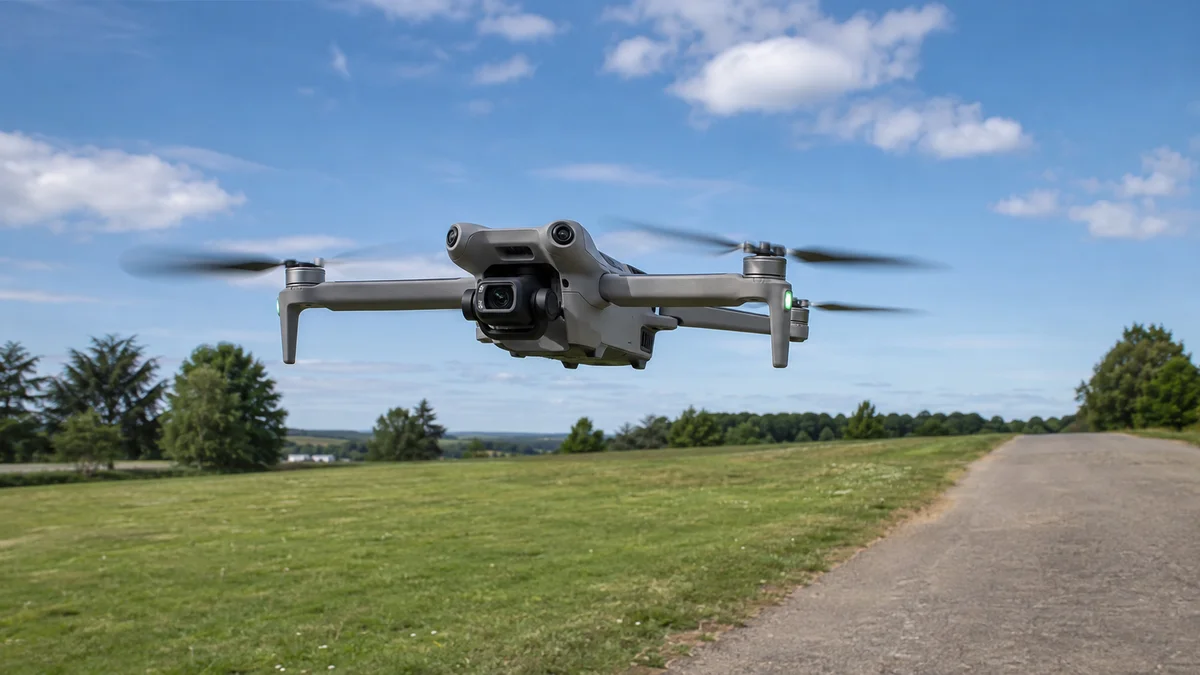
A quadcopter usually has four motors and four propellers because that layout gives the drone good control over lift, balance, turning, and movement. Each propeller creates lift, but the drone does not move by steering wheels or flaps like a car or airplane. Instead, it moves by changing the speed of different motors.
- To climb, all four motors spin faster.
- To descend, all four motors slow down.
- To move forward, the drone tilts forward.
- To move backward, it tilts backward.
- To slide left or right, it tilts in that direction.
- To rotate in place, some propellers speed up while others slow down.
The pilot does not manually control each propeller. The pilot simply tells the drone what direction to move. The drone's onboard computer figures out the motor adjustments needed to make that movement happen smoothly.
The Flight Controller Is the Drone's Brain
Inside a drone is a small computer called the flight controller. The flight controller is constantly asking questions like: Is the drone level? Is it drifting? Is it climbing or descending? Which direction is it facing? How fast is it moving? What did the pilot just command? Is there enough battery to keep flying? Is the drone close to an obstacle? Does it need to correct its position?
To answer those questions, the drone uses sensors. Most modern camera drones include some combination of:
- Gyroscope — measures rotation and helps the drone understand if it is tilting or turning.
- Accelerometer — measures acceleration and movement.
- Compass — helps determine direction.
- Barometer — helps estimate altitude using air pressure.
- GNSS receiver — uses satellite signals for positioning.
- Vision sensors — help the drone detect movement, the ground, and obstacles.
- Obstacle sensors — help detect objects around the drone.
- Battery sensors — track voltage, temperature, and remaining power.
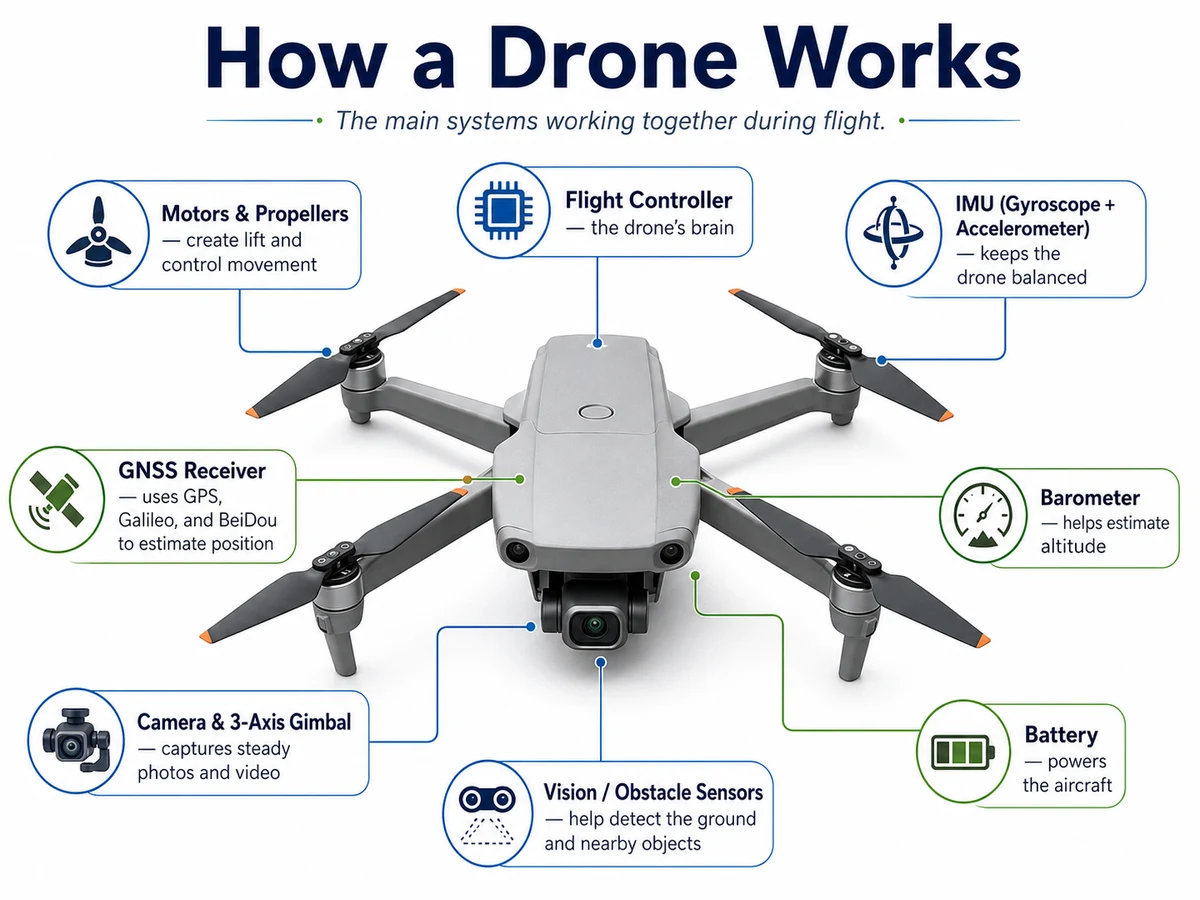
The DJI Mini 5 Pro is a useful example here because it combines many of these systems in a small drone body. It uses satellite positioning, vision sensors, obstacle sensing, a stabilized camera gimbal, and DJI's video transmission system. A larger professional drone may have more advanced sensors, while a basic beginner drone may have fewer — but the core idea is the same: the flight controller uses sensor data to keep the drone stable and responsive.
What Happens When You Move the Controller Sticks
When a pilot moves the sticks on a drone controller, the controller sends a wireless command to the drone. For example, pushing the right stick forward usually tells the drone to move forward. The drone receives that command, then the flight controller decides how to make it happen.
To move forward, the drone slightly lowers its front end. That tilt redirects part of the propeller force backward, pushing the drone forward through the air. At the same time, the drone is still stabilizing itself — checking its angle, altitude, movement, wind drift, and motor output. If the drone tilts too much, drifts sideways, or gets pushed by wind, the flight controller adjusts the motors.
So when the pilot moves a stick, the drone does not simply obey like a remote-control car. It interprets the command, compares it with sensor data, and makes constant corrections. That is why modern drones feel smooth. The pilot gives the direction. The drone handles the tiny adjustments.
Basic Controller Inputs Explained
Most drone controllers use two main sticks. The exact layout can vary, but on many camera drones, the controls work like this:
| Controller input | What the drone does |
|---|---|
| Left stick up | Climbs |
| Left stick down | Descends |
| Left stick left | Rotates left |
| Left stick right | Rotates right |
| Right stick up | Moves forward |
| Right stick down | Moves backward |
| Right stick left | Moves left |
| Right stick right | Moves right |
This is one reason drone footage can look so smooth. A pilot can combine movements: rising while moving forward, rotating while climbing, or sliding sideways while keeping the camera pointed at a subject. That combination of flight control and camera control is what creates many of the aerial shots people recognize in real estate videos, tourism content, business promos, construction updates, and landscape footage.
How Drones Use Satellites
A drone does not need satellites just to spin its propellers, but satellite positioning makes outdoor flight much more stable and useful. Most modern drones use GNSS, which stands for Global Navigation Satellite System. GPS is the best-known system, but it is not the only one. Some drones can use multiple satellite networks, such as GPS, Galileo, and BeiDou.
The important thing to understand is that satellites do not "fly" the drone. They do not steer it or control it. Instead, satellites send timing and position signals from space. The drone receives those signals and uses them to estimate where it is on Earth. Once the drone knows its position, it can do things like:
- Hold its location while hovering
- Show its position on a map
- Record a home point
- Return to its takeoff area
- Follow preplanned routes
- Improve stability outdoors
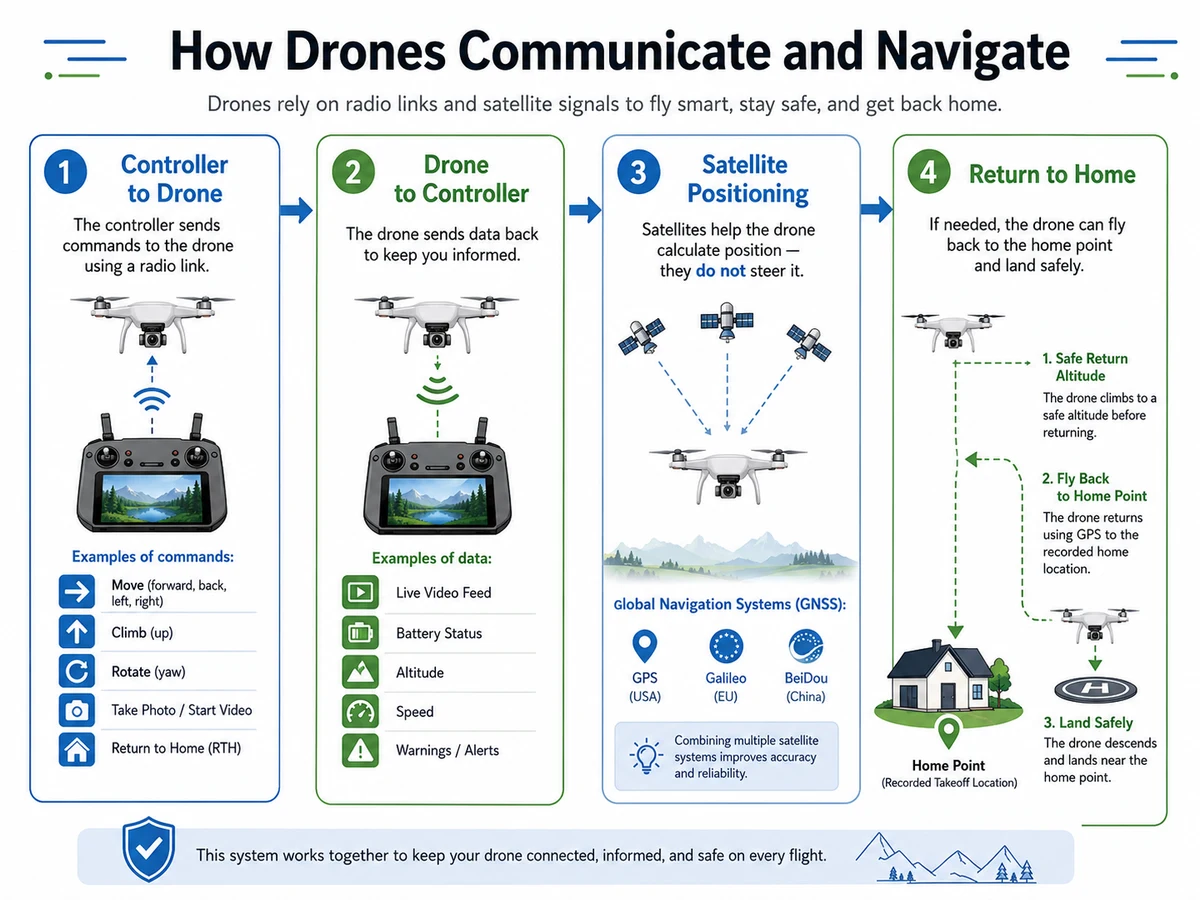
The DJI Mini 5 Pro, for example, uses GPS, Galileo, and BeiDou satellite positioning. That does not mean the drone is controlled by satellites. It means the drone can use signals from those systems to help calculate its location.
Satellite positioning works best with a clear view of the sky. Trees, buildings, mountains, bad weather, interference, or flying close to large structures can reduce accuracy. That is why pilots still need to watch the drone and pay attention to the app, even when the drone has GPS.
How the Drone Talks to the Controller
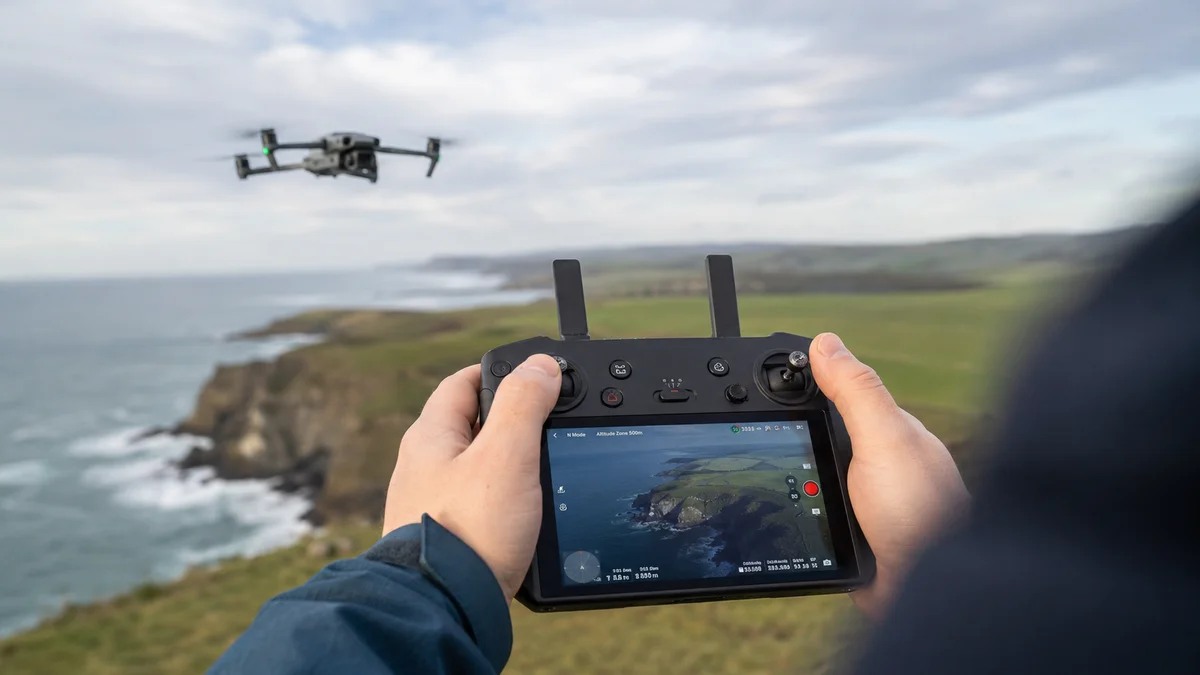
A drone and controller are constantly communicating. The controller sends commands to the drone, such as move forward, turn left, climb, descend, start recording, take a photo, or return home. The drone sends information back to the controller, such as:
- Live camera view
- Battery level
- Altitude
- Distance
- Speed
- Signal strength
- Warnings
- Map position
- Obstacle alerts
This two-way communication is what makes drone flying feel interactive. The pilot is not just controlling the drone blindly. The pilot is seeing a live video feed and flight data in real time. Modern camera drones use advanced transmission systems to keep that connection stable — for example, the DJI Mini 5 Pro uses DJI's O4+ transmission system, which supports a live 1080p video feed back to the controller.
That live feed matters because drone work is not just about getting into the air. It is about framing the shot. A pilot needs to see the roofline, property, road, mountain, river, building, or subject while the drone is moving.
Why Drone Video Looks Smooth
A drone has to tilt in order to move. So why doesn't the video tilt every time the drone moves? The answer is the gimbal.
The gimbal is the small stabilized mount that holds the camera. It moves independently from the drone body so the camera can stay steady while the drone tilts, turns, or fights wind. On many camera drones, the gimbal stabilizes the camera across multiple axes. The DJI Mini 5 Pro uses a 3-axis mechanical gimbal, which helps keep footage smooth even when the drone is moving.
This is one of the biggest reasons drone footage looks cinematic. The drone can fly forward, rise, rotate, or slide sideways while the camera stays locked on the subject. Without a gimbal, every tiny movement of the drone would show up in the video. With a gimbal, the camera looks calm even while the drone is working hard.
How Obstacle Sensing Works
Many modern drones use sensors to help detect obstacles. Depending on the drone, this can include vision sensors, infrared sensors, LiDAR, or other distance-measuring systems. These sensors help the drone understand what is nearby.
Obstacle sensing can help a drone:
- Slow down before hitting something
- Stop before reaching an object
- Avoid certain obstacles
- Improve return-to-home behavior
- Track subjects more safely
- Hold position better near the ground
The DJI Mini 5 Pro is a good example of how advanced obstacle sensing has become in small drones. It includes omnidirectional vision sensing, forward-facing LiDAR, and a downward infrared sensor.
But obstacle sensing is not perfect. Small branches, wires, glass, dark surfaces, reflective surfaces, rain, snow, fog, and low-light conditions can all make obstacle detection harder. For professional work, obstacle sensing is a backup layer. The pilot still needs to plan the shot, watch the aircraft, avoid risky flight paths, and understand the environment.
What Return to Home Does
Return to Home is one of the most useful features on a camera drone. When a drone takes off and has a strong enough satellite position, it records a home point — usually the takeoff location or the controller location, depending on the drone and settings.
If the pilot taps Return to Home, the battery gets low, or the signal is lost for long enough, the drone can use its saved home point to fly back. A typical Return to Home sequence looks like this:
- 1The drone confirms the home point.
- 2It climbs to a preset return altitude.
- 3It flies back toward the home point.
- 4It descends and lands, or lets the pilot take over.
The return altitude is important. If it is set too low, the drone may not clear trees, hills, buildings, utility lines, or other obstacles. This matters a lot in places like southern Vermont, western Massachusetts, and southwest New Hampshire, where trees, hills, and uneven terrain are common. A safe return height in one location might not be safe somewhere else. Return to Home is useful, but it is not a substitute for planning.
How the Battery Affects Flight
A drone battery does more than power the motors. Modern drone batteries are usually "smart" batteries that can report information like charge level, voltage, temperature, and estimated remaining flight time. Battery life depends on conditions. A drone may use more power when:
- Flying in wind
- Flying fast
- Climbing often
- Carrying extra weight
- Flying in cold weather
- Recording high-resolution video
- Fighting to hold position
That is why pilots usually do not fly until the battery is almost empty. A safe flight leaves enough power to return, land, and handle unexpected changes. A drone might advertise a maximum flight time, but real-world flight time is often lower depending on weather, speed, and how the drone is being used.
Why Some Drones Are Better for Photography and Video
Not all drones are built for the same job. Some are made for racing. Some are made for inspections. Some are made for mapping. Some are made for beginners. Camera drones are designed to capture stable, high-quality images from the air. For aerial photos and video, these features matter:
- Camera sensor size
- Lens quality
- Dynamic range
- Low-light performance
- Video resolution
- Frame rate options
- Gimbal stability
- Wind resistance
- Transmission quality
- Battery life
- Obstacle sensing
- Pilot skill
The DJI Mini 5 Pro is useful as an example because it shows how much technology can fit inside a compact camera drone — a 1-inch camera sensor, stabilized gimbal, satellite positioning, obstacle sensing, and live video transmission. But those features are not unique concepts to that one model. They are examples of the systems that make modern camera drones useful. The drone provides the tools. The pilot still decides how to use them.
A Simple Real-World Example
Imagine filming a local business, house, farm, roof, or scenic property. Before takeoff, the pilot checks the weather, wind, location, airspace, people nearby, trees, power lines, and the planned shots.
Once the drone is in the air, each system is working at the same time:
- The propellers create lift.
- The flight controller keeps the drone balanced.
- The controller sends pilot commands.
- The drone sends back live video.
- Satellite positioning helps the drone understand where it is.
- Sensors help with stability and obstacle awareness.
- The gimbal keeps the camera smooth.
- The battery system tracks remaining power.
To the viewer, the final shot might look simple: a smooth rise over a building, a slow reveal of a landscape, or a clean pass over a property. Behind the scenes, the drone is combining aircraft control, radio communication, satellite positioning, sensors, camera stabilization, and pilot input all at once. That is what makes drone footage so impressive. It looks simple because the technology is doing a lot of work in the background.
Do Drones Fly Themselves?
Sometimes, but not completely. Modern drones can hover, return home, track subjects, follow routes, and assist with obstacle avoidance. But they still need a pilot making decisions. The pilot decides:
- Where to fly
- When it is safe to take off
- How high to fly
- What angle to capture
- How close to get
- What movement looks best
- When to stop
- Whether the conditions are safe
- Whether the flight is allowed
Automation helps. It does not replace judgment. For commercial drone work, that matters. A drone is not just a flying camera. It is an aircraft operating in real airspace. Commercial pilots operating for hire in the United States generally need to hold an FAA Part 107 certification.
The Simple Version
How a drone works, in plain English
The propellers create lift.
The motors control movement.
The flight controller keeps the drone balanced.
The controller sends pilot commands.
The drone sends back video and flight data.
Satellite signals help the drone calculate its location.
Obstacle sensors help detect nearby objects.
The gimbal keeps the camera steady.
The battery powers everything.
The pilot brings it all together.
A modern drone is part aircraft, part camera, part computer, and part communication system. When all of those pieces work together, it can turn an ordinary view into something people actually stop and look at.
Want aerial photos or video for your property, business, or project?
Davis Drone provides aerial photos, video, property visuals, roof and exterior documentation, business content, and custom drone projects across southern Vermont, western Massachusetts, and southwest New Hampshire. If you have a project in mind, you can request a quote or view drone service pricing to see where most projects start.